

8 Best STEM Subscription Boxes for Kids and Teens

A good STEM subscription box solves a very familiar problem: your child wants something new to make, and you don’t have time to invent an activity and hunt down all the parts. My older kids used to count down to delivery day. The surprise was half the fun; making something that actually worked was the other half.
KiwiCo is still my starting point for most families, because its different crate lines make it easier to match the project to the child. For a child drawn to chemistry, I’d look at MEL Chemistry. For a teen who wants to change how a robot behaves, CrunchLabs Hack Pack deserves a look.
This guide combines our family’s earlier hands-on experiences with a September 2026 check of current subscriptions, age ranges and ordering terms. The older experiences are identified below; we have not newly tested every current box. Several names from the original guide are no longer straightforward subscription recommendations, so I’ve kept a status update on those boxes rather than sending you to an outdated offer.
Disclosure: We may earn a commission if you buy through our affiliate links, at no extra cost to you. Subscription choices, shipping and renewal terms vary by plan and destination; check the complete order total before paying.
Compare the STEM subscription boxes
| Subscription | Age / fit | What makes it different | Main trade-off |
|---|---|---|---|
| KiwiCo | Kiwi 6–9; Tinker 9–12; other lines below | A broad choice of science, engineering, art and early play | Choose the actual crate line; longer terms have a commitment |
| MEL Chemistry | 10+ | Real chemistry experiments with digital explanations | Plan on adult supervision and checking each materials list |
| Green Kid Crafts | Junior 3–5; Discovery 5–10+ | Several short science and art activities per delivery | Some activities lean more toward craft than investigation |
| STEM Discovery Boxes | Starter 5–7; core boxes 7–12 | Three projects, with supplies including batteries | Shared supplies still require siblings to take turns |
| Little Passports Science Expeditions | 8+ | Experiments and builds with an adventure-story thread | Household extras can be needed |
| CrunchLabs Build Box | 8–12+ in the product FAQ | A buildable toy, challenges and Mark Rober’s explanations | Monthly payments can still mean an annual commitment |
| CrunchLabs Hack Pack | 14+ | Programmable robots you can modify | Check delivery frequency and use a computer for coding |
| GoBox | Beginner robotics; confirm age suitability with the maker | One GoPiGo robot, followed by parts and missions | Larger first payment; US-only subscription |
Quick choice: start with KiwiCo for variety, Green Kid Crafts for a younger child who likes making and decorating, MEL for a chemistry enthusiast, and STEM Discovery Boxes when gathering supplies is your biggest obstacle. Choose Build Box for mechanical toys, Science Expeditions for stories alongside experiments, or one of the robot options when coding is part of the appeal.
Our STEM subscription box recommendations
1. KiwiCo — the best starting point for most families
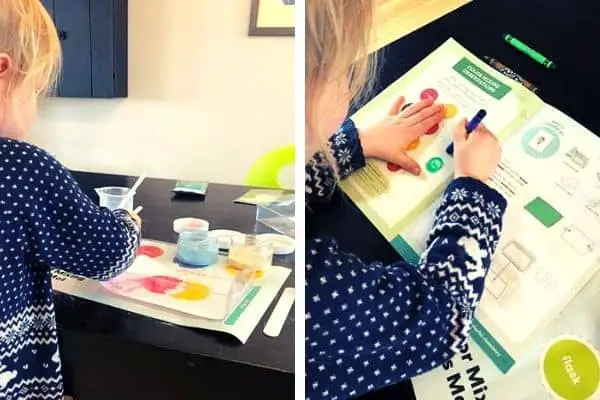
KiwiCo’s great strength is the range. A child who loves building and a sibling who wants to make art don’t have to receive the same sort of box. The current Kiwi Crate targets ages 6–9, while Tinker Crate targets ages 9–12 with science and engineering builds. Instructions, extension ideas and supporting videos give you somewhere to go after the initial assembly.
In our earlier boxes, I liked that learning was built into making something: a child could work on a mechanical grabber without first sitting through a lesson about linkages. My wife appreciated the wood, cardboard and other craft materials we encountered. The limitation was durability. A satisfying afternoon build is not necessarily a toy that will survive months of rough play.
The names and ages matter. KiwiCo’s current crate guide lists Panda for 0–36 months, Koala for 3–6, Kiwi for 6–9, Atlas and Doodle for 6–12, Tinker for 9–12, and Eureka and Maker for 12+. Atlas focuses on geography, Doodle and Maker on art, and Eureka on engineering. Panda arrives every two months; it is developmental play for babies and toddlers, not a monthly chemistry kit.
Before subscribing: distinguish a monthly subscription from a longer payment-plan term. KiwiCo’s terms say renewing 3-, 6- and 12-month plans cannot be canceled mid-term; turning renewal off stops the next term. Non-renewing plans expire after their stated term and are not refundable. For a gift, confirm that the plan you select actually says non-renewing. Start shorter if you’re unsure which line will suit your child.
Compare KiwiCo subscriptions · Read our earlier Kiwi Crate review.
2. MEL Chemistry — for a child who wants real chemical reactions

As an organic chemist, I used to think I should be able to devise all the experiments my children needed. In practice, coming up with a good activity, finding the ingredients and explaining the result takes time. MEL’s appeal is that much of that preparation has already been done.
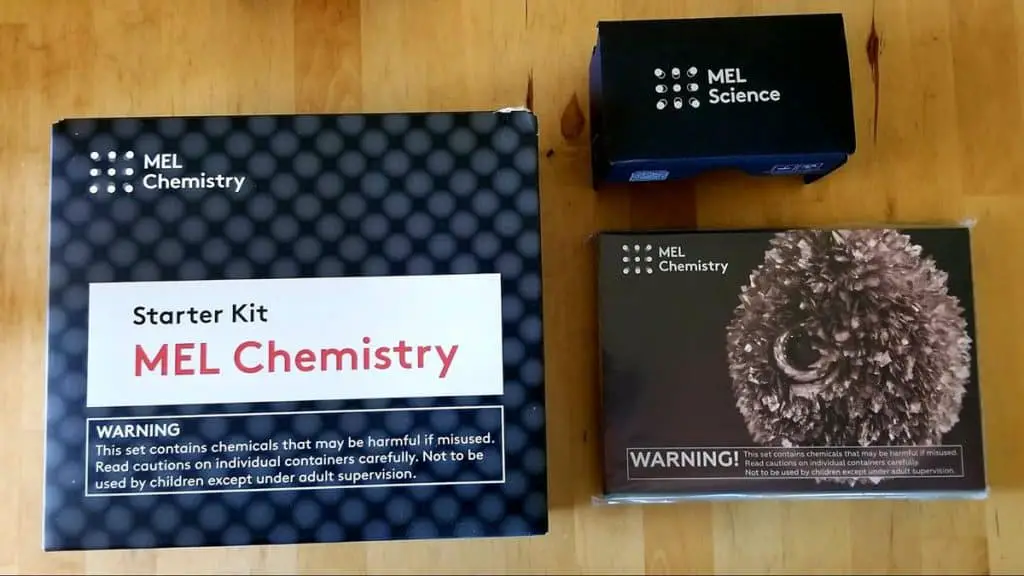
The current US MEL Chemistry subscription is for ages 10+. It combines delivered experiment kits with app-based guides and digital explanations. That makes it a better fit for a child fascinated by substances changing color or forming structures than for one who mainly wants to assemble a moving toy.
Our earlier tin-hedgehog experiment was a memorable example of the appeal: something visibly grew in front of us. We also found that some experiments needed household extras, including ingredients that could not conveniently be supplied in a box. Read the individual experiment’s instructions before promising an immediate start.
Adult involvement: these are chemistry activities, not independent toddler play. Follow the experiment’s age guidance, protective-equipment instructions and supervision requirements. Some current examples involve heat or flames. A 10+ label does not make it sensible to leave children to improvise with the chemicals.
Before subscribing: MEL offers account-based pause and cancellation. Its terms say already-debited orders proceed normally; prepaid plans and shipment timing need particular attention, because longer plans may ship kits in bundles. Giving a recipient’s address does not by itself make an order non-renewing. Check the selected subject, billing term and delivery schedule; contact MEL support about prepaid changes.
Compare MEL Science subjects and plans — select Chemistry for this recommendation. Our earlier MEL Chemistry review has more of our hands-on experience.
3. Green Kid Crafts — for science with plenty of art and making
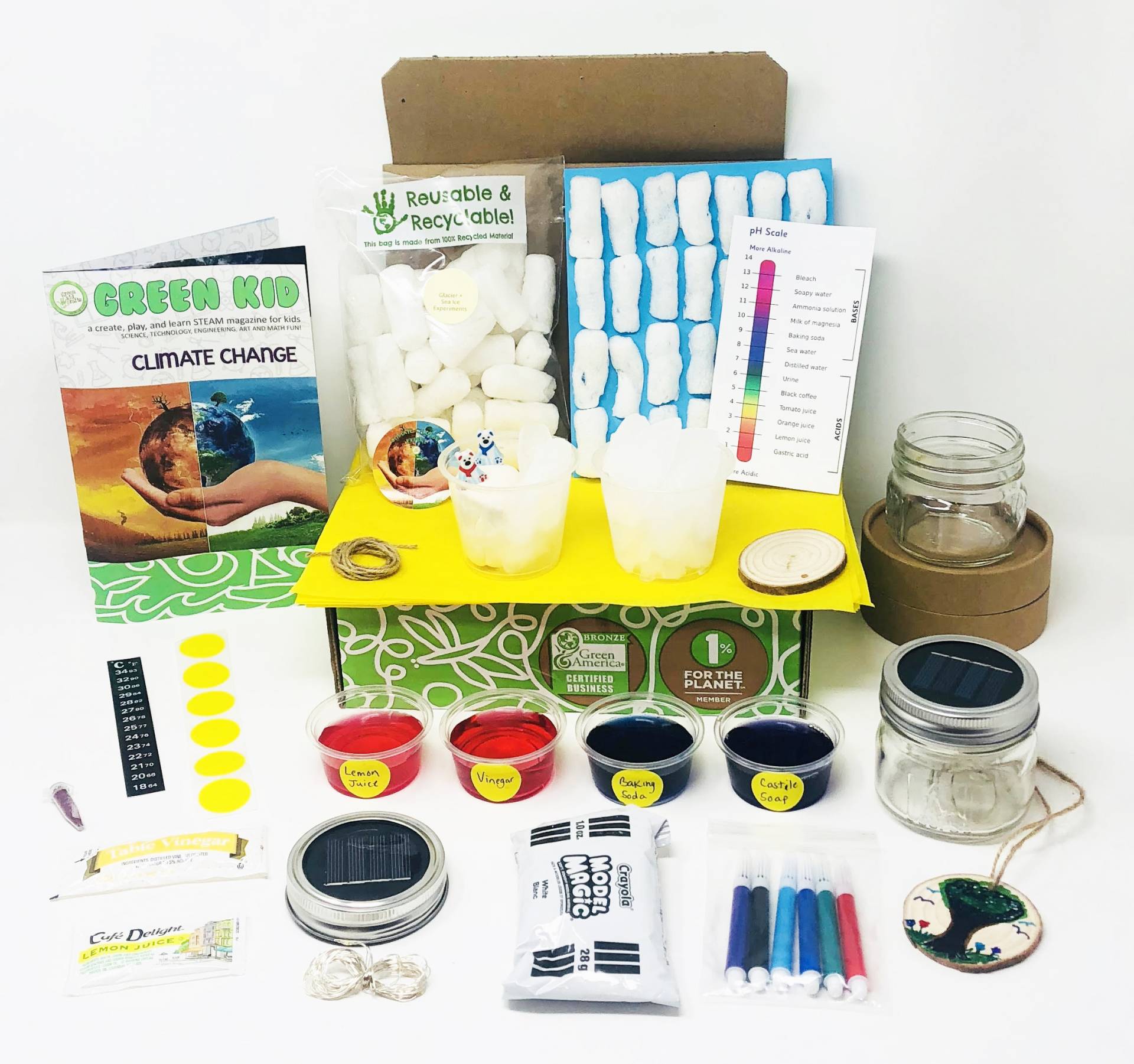
Green Kid Crafts makes sense when your child enjoys both experiments and craft time. The current Junior plan is for ages 3–5 and Discovery for ages 5–10+. The maker describes four to six activities and a 12-page magazine per box. Several smaller activities can be easier to spread through a month than one complicated build.
In our earlier subscription, we received a theme involving volcanoes, crystals and gems. The environmental themes were another draw for our family. But I wouldn’t assume that every activity delivers a deep science lesson: when we tried the older Detective Science box, my child enjoyed the secret messages and fingerprints, while I wanted more explanation of the science behind them.
That is the trade-off to consider. For a child who happily moves between decorating, making and experimenting, variety is a strength. For a child who only wants chemistry, MEL is a more focused choice. Treat environmental claims as the maker’s description, rather than assuming every component is plastic-free.
Before subscribing: the current order area says gift subscriptions do not renew, but the separate FAQ still says gifts auto-renew. Confirm the exact gift setting with customer care before paying. Ordinary subscriptions renew; cancellation stops the next term, and the FAQ does not offer full or prorated refunds for unused prepaid months. Save the cancellation confirmation.
Compare Green Kid Crafts plans.
4. STEM Discovery Boxes — when having the supplies ready matters most
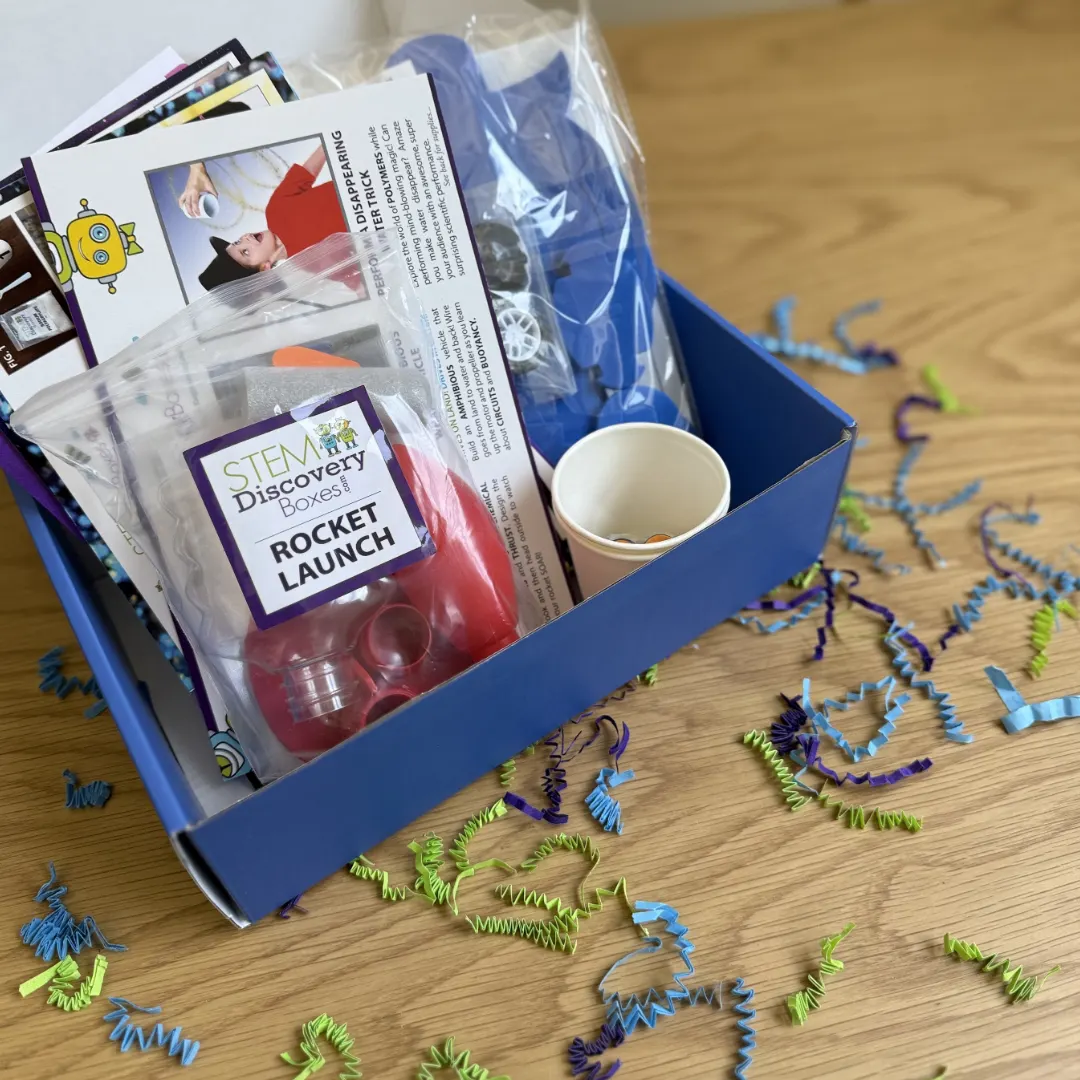
A kit is less convenient if the first instruction is to find batteries you don’t own. STEM Discovery Boxes explicitly includes the project supplies, including batteries, and describes three projects plus three science lessons per monthly box. That is the main reason I’d put it on a busy family’s shortlist.
The maker now separates younger learners from its core range: the Starter Series covers ages 5–7, while the core boxes suit ages 7–12. The broader site label is 5–12+. Choose the age tier, rather than assuming that a younger sibling should tackle the older child’s box.
Three projects give you three starting points for the month. That doesn’t mean three complete sets for three children. I would plan shared building time, rotate jobs and let each child explain one result. If they both insist on keeping the finished project, a shared subscription may cause more friction than it saves.
Before subscribing: the current site distinguishes a month-to-month plan from term plans that renew unless you turn renewal off. Its gift page says a gift stays active until canceled, while the homepage FAQ says family and gift orders can opt out of auto-renewal at checkout. Check the renewal setting on your chosen order and save its confirmation; a gift note alone does not set an end date. School, group and funding-program orders are separate options; we have not tested the custom classroom service.
See STEM Discovery Boxes and choose an age tier.
5. Little Passports Science Expeditions — for experiments with a story

If your child likes the idea of solving a mystery or joining an adventure, the story can be the invitation into the science. Science Expeditions is currently listed for ages 8+, with experiments, activities and a comic-book thread. Examples include building a pinball machine and investigating scientific ideas through themed projects.
Our earlier hands-on experience was with Science Expeditions specifically. We did not test every Little Passports line. In the older forensics kit, we had several of the household supplies, but needed to find extras for some activities. The models we made were also fairly fragile. Those are observations about the kits we used, not a claim that every current box has the same contents.
The useful part is that Little Passports still maintains experiment support with videos, materials lists and tips. Read the relevant list before starting. A picture of an exciting project is not proof that the next box contains it, so let your child choose the subscription’s overall approach rather than one pictured machine.
Before subscribing: standard plans renew automatically. The cancellation policy says prepaid plans are non-refundable; canceling renewal is different from recovering unused prepaid months. The product page also lists a pay-later option for certain longer plans without auto-renewal. For a gift, verify which arrangement you’re selecting, and whether any optional book upgrade is included in the total.
See Science Expeditions plans.
6. CrunchLabs Build Box — for kids who want to make a working toy
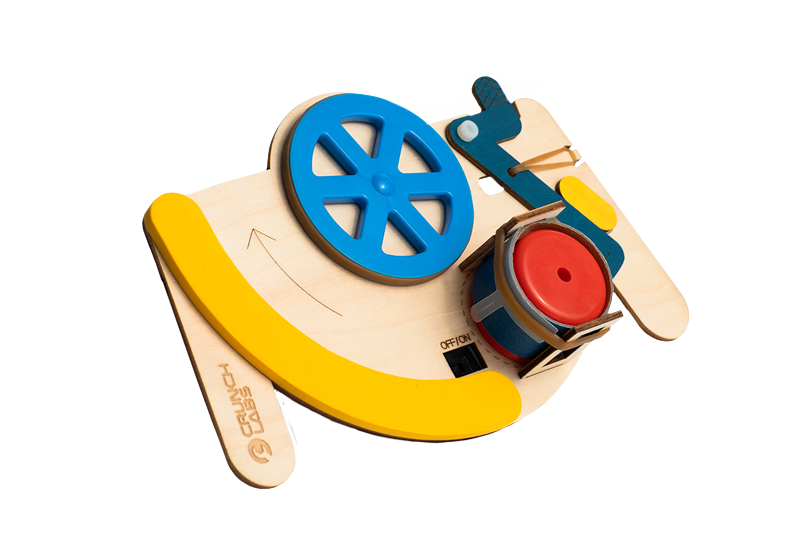
Build Box is the option I’d investigate for a child whose first question is, “What will it do when I’ve finished?” Its monthly engineering projects produce playable toys, with illustrated instructions, challenges and accompanying Mark Rober videos. The product FAQ specifies ages 8–12+, although the site’s navigation labels the line 8–13.
The maker says the required build materials, including batteries, are supplied, and the printed instructions let children complete the build without watching the video. The video adds explanation rather than being the only way to assemble the project. It also offers replacement parts through the account portal.
This is a research-based addition to our guide. We have not put the current sequence through a new family test. My buying advice is to think beyond assembly: does your child enjoy experimenting with a toy they’ve made, or will it be abandoned as soon as the instructions end? The former is a much better match for a recurring engineering box.
Before subscribing: read the billing policy closely. An annual plan paid monthly is still an annual commitment, not a cancel-any-month trial. The help center says annual plans are not eligible for early cancellation; quarterly plans end at the billing-period boundary. Subscriptions automatically renew, and the maker asks you to turn renewal off at least three days before the term ends. Confirm those details for a gift too.
See CrunchLabs Build Box plans.
7. CrunchLabs Hack Pack — for teens ready to modify robots
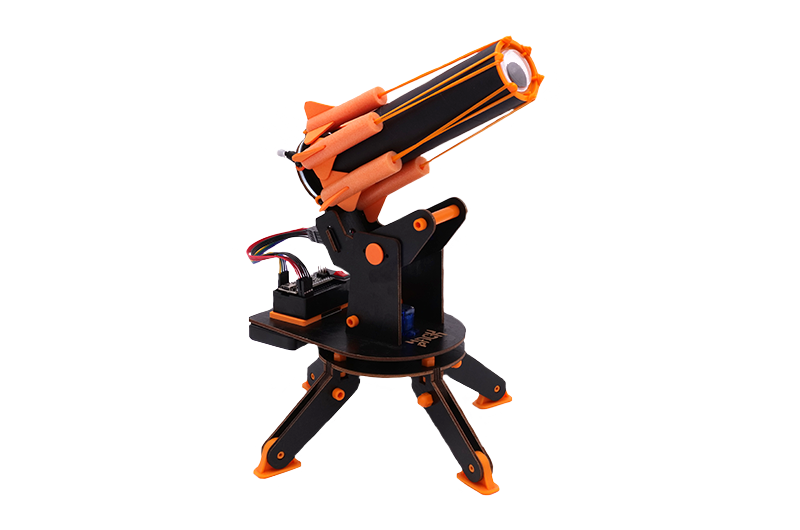
Hack Pack targets ages 14+ and adds programmable electronics to the building experience. The maker supplies an Arduino microcontroller and battery with each robot, plus videos and a browser-based coding environment. You can build first, then change the code to explore different behavior.
This is a more useful comparison with the old Creation Crate idea than a box of simple craft experiments. It gives a teen something physical to debug. That does not make it the same electronics course, and our earlier Creation Crate experience does not count as a Hack Pack test.
Choose it for someone who is interested in the “why didn’t that work?” stage as well as the finished robot. Plan access to a computer for coding. The maker provides troubleshooting guides and replacement-parts support, but a younger or easily frustrated beginner may still want an adult alongside them.
Before subscribing: Hack Pack offers both every-other-month and monthly delivery arrangements. Compare the number of robots, total committed payment and billing term, not just the displayed price per box. The product page says subscriptions renew automatically and renewal should be turned off at least three days before the term ends. Check the cancellation rules for the particular plan; don’t assume a payment every two months means a two-month commitment.
Compare Hack Pack delivery plans.
8. GoBox — for building on the same robot over time
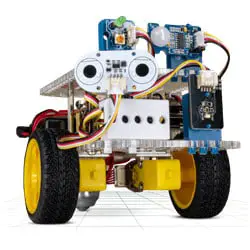
GoBox takes a different approach from receiving a separate robot each time. The first shipment supplies a GoPiGo robot and Raspberry Pi; subsequent shipments add sensors or actuators and missions. That continuity is the appeal: your child keeps expanding one system and can see how an extra input changes what the robot can do.
The official GoBox page describes beginner-friendly, guided missions. Its linked US order page specifies an initial robot payment followed by 11 recurring monthly payments. There is also a missions-and-parts-only option for an existing GoPiGo owner. Check compatibility before choosing that option: owning any robot or any Raspberry Pi is not the same thing.
I would consider this for a family happy to spend time learning the robot together. We could not confirm a numerical age recommendation on the current subscription page. Tell the maker your child’s age and reading/coding experience, and ask whether the projects will suit them independently or with an adult’s help.
Before subscribing: this offer is for US customers. The marketing page says no contract or commitment, while the shop describes the sequence of recurring payments without a detailed cancellation procedure. Confirm cancellation, gift billing and the next dispatch date with the maker before ordering. The page still carries an old Christmas 2025 shipping notice; it is not a current holiday-delivery promise.
Check the current GoBox US starter subscription.
What happened to the other boxes in our original guide?
Older reviews can still describe a worthwhile experience even when the buying options change. These were all in our original 12-brand guide. They are not counted among the current recommendations above.
Bitsbox: a useful coding idea, but the store is sold out
When we tried Bitsbox, I was surprised to find children typing JavaScript rather than dragging Scratch-style blocks. Customizing the little apps was the interesting part. Its current FAQ still targets ages 6–12 and recommends a computer with a physical keyboard; playing the finished app on a phone is different from comfortably typing the code there.
However, the official store currently says its products are sold out and unavailable to purchase. We have therefore removed the old subscription CTA. That is a stock-status observation, not a claim that the business has permanently closed. Check the store for changes before planning a gift.
Black Girl MATHgic: look for individual math-confidence kits
I still value the original idea: real-world mathematics, a featured woman mathematician, and guidance for an adult helping a child build confidence. The current maker site announces a change in business model and directs shoppers to individual kits and other resources. Check the specific kit’s contents, level and stock rather than treating it as the monthly subscription described in our older review.
Groovy Lab in a Box: our notebook experience still matters
My daughter made the older Groovy lab notebooks her own and wanted to keep them. I liked the move from guided investigation into a design challenge. We could not verify a current US subscription offer at the US website during this update, so the old buying links are removed. The Japanese offering is a separate regional service and is not evidence of US availability. For current engineering choices, compare Tinker Crate and Build Box above.
Spangler Science Club: the old club link no longer sells a subscription
The official Steve Spangler Science site now directs product shoppers to Amazon and Really Good Stuff, and the old club address redirects to that main site. We have not verified a current recurring Science Club offer, so the original claim about monthly deliveries is no longer a buying recommendation. Individual science products should be evaluated on their own contents.
Club SciKidz Labs: don’t confuse camps with a box subscription
Our daughter loved trying the stethoscope in the older veterinary-themed box. That was an exploration activity, not a substitute for veterinary care. The current Club SciKidz site promotes camps and programs; we could not verify the old Labs subscription as a current US offer. We have removed its old monthly price and class-bundle claims rather than assume the camp business still sells that box.
Creation Crate: keep the experience, retire the old offer
My son was disappointed when his earlier Creation Crate Mood Lamp didn’t work, then much more motivated after he worked through the wiring and code to get it running. That troubleshooting is exactly what I want from an electronics activity. But Cratejoy now marks the old electronics subscription as archived, and we could not verify a current direct subscription. Hack Pack is a current alternative to investigate for ages 14+, not a replacement shipment of the same course.
How to choose a STEM box your family will actually use
Match the activity to your child’s patience, not just their age
An age range is a starting point. Readiness also includes reading instructions, using small parts, waiting for a result and coping when something doesn’t work. If a child loves making up their own games but dislikes following a sequence, a tightly scripted build might frustrate them. If they like finishing a clear task, it could be exactly right.
For a preschooler, plan to participate. For an older child, stay available for tricky assembly or debugging. With chemistry, follow the kit’s supervision requirements regardless of how independent the child normally is. Keep small parts and experiment materials away from younger siblings.
Separate building time, learning time and replay value
Ten tiny activities are not automatically better value than one substantial project. Ask what happens after the instructions finish. Can the child change a variable, redesign a part, explain the result or keep using the finished object? A box that leads to those questions can justify more time at the table than a larger pile of novelty supplies.
Also check the practical overhead: a laptop, an app, household ingredients, a clear work surface and somewhere to store half-built projects. Our earlier experiences with MEL and Little Passports are a reminder that “a box of supplies” does not always mean absolutely everything is inside.
Compare the full commitment before the monthly figure
Check four separate things: what you pay today, what future payments you commit to, how often boxes arrive, and when the subscription renews. A lower monthly equivalent can require paying a full year upfront. A monthly installment can also belong to an annual contract. Neither tells you that you can walk away after one box.
For a gift, coordinate with the parent or caregiver about age, space, devices and supervision. Then check who manages the account, whether the gift stops automatically and whether you can choose the first delivery date. Keep the order confirmation and set a reminder before any renewal deadline. Holiday delivery should be checked against the seller’s current dispatch information, not an old review.
STEM subscription box FAQs
Are STEM subscription boxes worth it?
They can be, if the convenience helps your family do activities you would otherwise keep putting off. You are paying for curation, instructions and delivery as well as the materials. If you already enjoy planning experiments and have the supplies, our science experiment ideas may give you plenty to do without a recurring payment.
Which box is best for a teenager?
For engineering without making coding the main event, look at KiwiCo Eureka. For supervised chemistry, consider MEL Chemistry. For a teen aged 14+ who wants programmable robots, investigate Hack Pack. GoBox is another robotics route, but confirm suitability with the maker. Choose by interest and challenge level; a teenager does not automatically want the most complicated kit.
Can siblings share a subscription?
Often they can share the experience, but don’t assume the box includes duplicate materials or a finished toy for each child. Agree who builds, who reads instructions and who keeps the result. For children far apart in age, separate age-appropriate activities can work better than expecting both to use the same kit.
Does “cancel anytime” mean I get unused months refunded?
Not necessarily. It often means you can stop the next renewal while the prepaid term continues. Several providers above distinguish monthly plans from prepaid or annual commitments. Read the policy attached to the exact plan, and keep confirmation that renewal has been switched off.
Are subscription boxes screen-free?
Some activities are; the category as a whole isn’t. Craft and mechanical projects may use printed instructions, while robot coding needs a computer and some science subscriptions add app or video explanations. Decide whether you want no screens at all, optional instructional videos, or purposeful coding time before choosing.