
5 Best Robotics Kits for Adults: Cars, Arms and Walking Robots

The best robotics kit for an adult depends on what you want to do after assembly: program a vehicle, rebuild different machines, teach an arm or explore walking motion. Our five picks cover those jobs, with the computer, power and software requirements made explicit.
STEMGeek may earn a commission if you buy through some links on this page.
The ELEGOO V4.0 car is our starting point for a first Arduino robot. Makeblock mBot Ultimate offers more mechanical variety. PiCar-X and PiCrawler suit a Raspberry Pi project, while xArm 1S is for teaching and controlling movements rather than learning a general-purpose coding language.
Compare five adult robotics kits
| Pick | Best fit | Plan for |
|---|---|---|
| ELEGOO Smart Robot Car Kit V4.0 with Camera | First Arduino robot-car build | Computer for Arduino programming; compatible mobile device for app control |
| Makeblock mBot Ultimate | Rebuilding different robot forms | Computer, robot power; extra Raspberry Pi and setup for Python |
| SunFounder PiCar-X | Python projects on a Raspberry Pi vehicle | Separate compatible Pi, microSD card and appropriate Pi power adapter |
| Hiwonder xArm 1S | Arm assembly and teaching movement sequences | Check PC/app requirements; choose assembled or unassembled option |
| SunFounder PiCrawler | A walking robot and coordinated servo movement | Separate Pi, microSD and appropriate Pi adapter; careful setup and calibration |
Our robotics kit picks
1. ELEGOO Smart Robot Car Kit V4.0 with Camera

A robot car gives a first robotics project a clear purpose: assemble the vehicle, make it move, then change its behavior. The ELEGOO Smart Robot Car V4.0 with Camera is our starting choice for that experience. It combines an Arduino-based controller with a vehicle build and phone or tablet control.
For an adult beginner, the useful distinction is between driving the car and programming it. Remote control gets it moving; writing and uploading a program makes the board follow your instructions. Have a computer available for Arduino programming, and use the maker’s current instructions for the exact version. A working example is a sensible starting point before changing several things at once.
This is a focused vehicle project, so it offers less mechanical variety than mBot Ultimate. Choose it when one concrete build sounds more inviting than a box of alternative designs. Check app compatibility and match V4.0 with Camera when ordering: earlier ELEGOO car versions are not identical.
See the manufacturer’s product information · Check on Amazon
2. Makeblock mBot Ultimate

Makeblock mBot Ultimate, also called Ultimate 2.0 in its support documents, suits someone who wants to rebuild rather than stop after finishing one car. Makeblock provides ten robot configurations and supports block programming and the Arduino IDE. We would choose it for experimenting with the relationship between mechanical design and code.
The range of builds is the reason to pay attention to this kit. A different arrangement of parts creates a different control problem, so the hardware can remain interesting after the introductory project. An adult beginner can start with guided builds and block coding, but should expect a larger assembly and software commitment than with a simpler car.
Python is not an out-of-box promise: Makeblock’s documented route needs a Raspberry Pi plus firmware and setup changes. The robot uses six AA batteries or a compatible rechargeable lithium battery pack; check what your selected bundle includes. Budget for the complete setup, not just the advertised robot box.
See the manufacturer’s product information · Check on Amazon
3. SunFounder PiCar-X
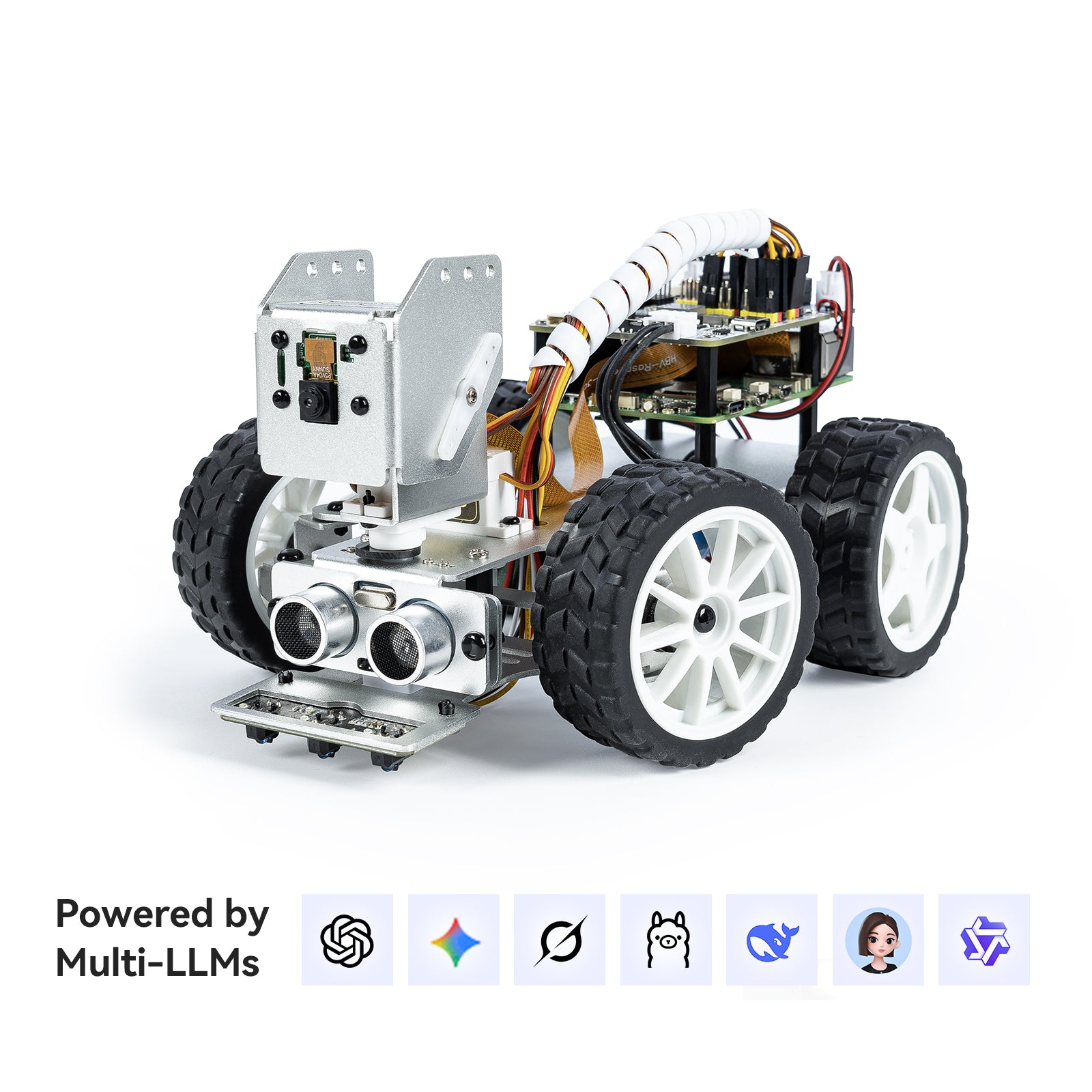
PiCar-X CN0483D is our wheeled option for an adult who specifically wants to work with Raspberry Pi and Python. SunFounder includes a camera and describes line-following and obstacle-avoidance projects. Its Python guide starts with Raspberry Pi OS setup, network access and software installation before moving into vehicle control and computer vision.
That setup is part of the activity. We would pick it over the ELEGOO car if learning the Pi environment is appealing, especially for someone who already owns a compatible board. Start with basic movement and calibration before tackling camera projects; you will have fewer possible causes to investigate when something fails.
The Raspberry Pi is not included. The preparation guide also calls for a microSD card and suitable Pi power adapter. Check the selected kit’s battery and charging contents before ordering. PiCar-X is a different product from the old SunFounder Smart Video Car: its parts, software and requirements should be taken from the current instructions.
See the manufacturer’s product information · Read the Python setup guide
4. Hiwonder xArm 1S
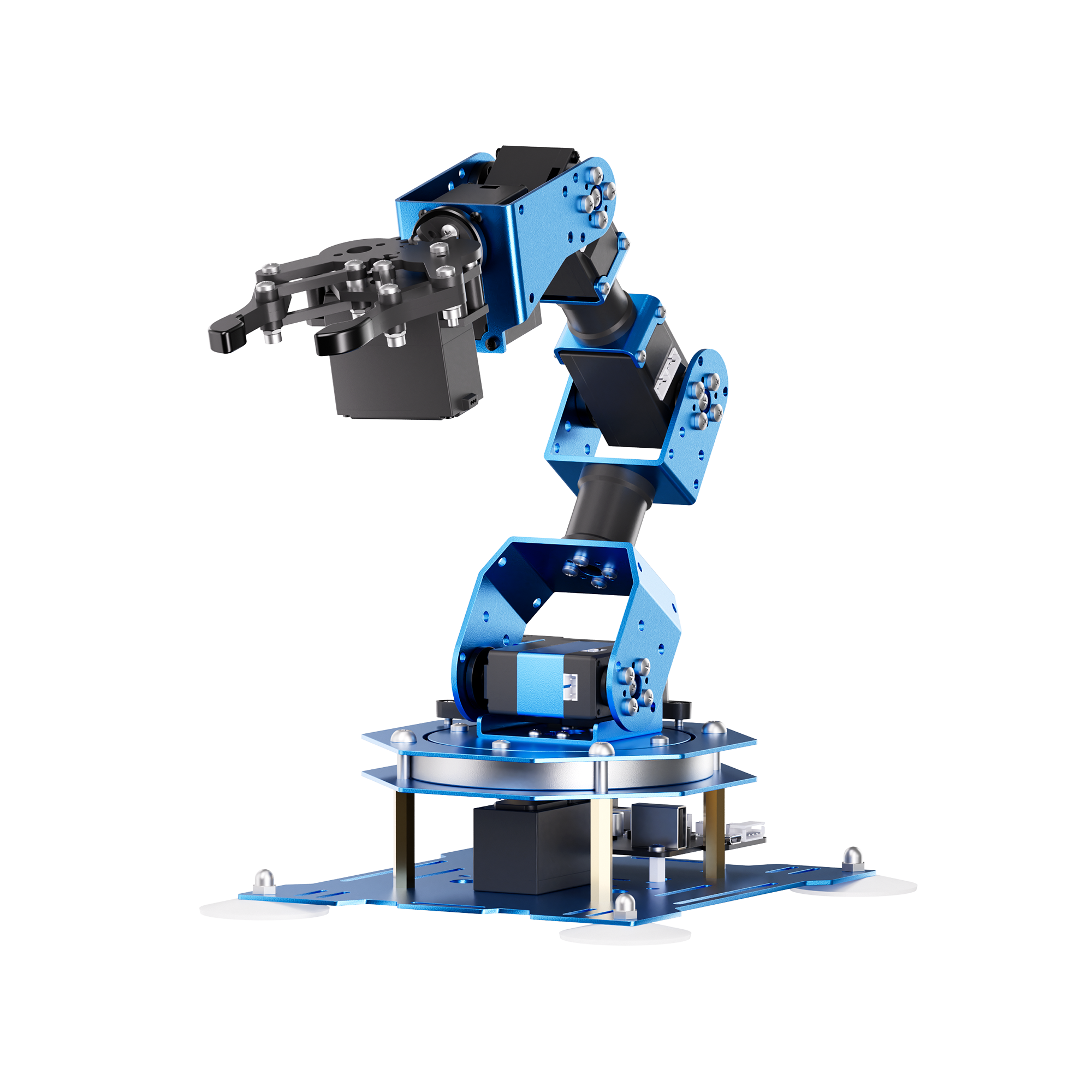
A desktop arm makes positioning and gripping the whole project. Hiwonder xArm 1S, SKU 21010002, has six degrees of freedom, counted as five axes plus the gripper. Choose the unassembled option if putting the mechanism together is part of the gift; Hiwonder also sells it assembled.
We would choose this for someone interested in teaching a sequence of physical movements. The maker lists PC software, a mobile app, USB connection and a PS2-style controller and receiver. A 7.5V/6A power supply is listed too. Check the selected package and software requirements against the devices you actually own.
The important limit is programming depth: Hiwonder’s FAQ says xArm 1S has no IDE and does not support code compilation. It is a controllable, teachable arm, not our recommendation for learning Python. This named model replaces an uncertain older LewanSoul recommendation; we have not treated those products or their specifications as interchangeable.
See the manufacturer’s product information
5. SunFounder PiCrawler
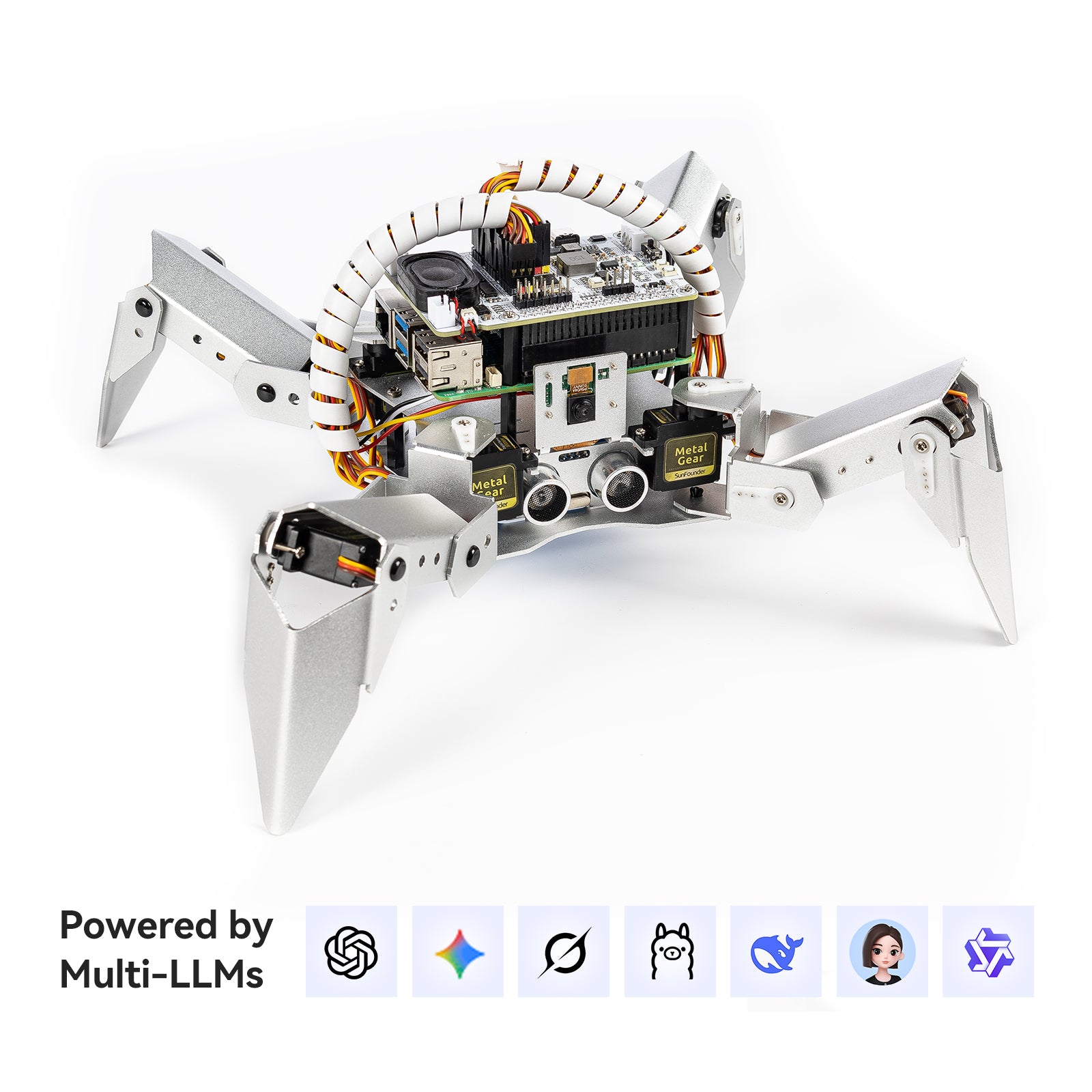
SunFounder PiCrawler CN0488D offers a different mechanical challenge from a car: a four-legged robot driven by 12 servos. The current maker listing includes a camera and ultrasonic sensing, and its Python documentation covers movement, posture and computer-vision projects. We would choose it for an adult who wants to explore how several joints work together.
Expect to spend time on setup, not just bolting parts together. SunFounder’s guide includes Raspberry Pi OS installation, software modules, servo adjustment and calibration. It specifically calls for calibration after assembly to avoid servo damage from misalignment. Follow the assembly sequence and do not force a powered servo shaft by hand.
The Pi board is separate, as are the microSD card and appropriate Pi power adapter identified in the preparation guide. Confirm the battery and charging arrangement for the current bundle rather than following an older kit’s shopping list. Choose a wheeled robot instead if coordinated leg movement sounds more frustrating than interesting.
See the manufacturer’s product information · Read the assembly and calibration guidance
How to choose a robotics kit as an adult
Separate assembly, remote control and programming. They are different activities. A remote-controlled robot follows your live commands; a program stores instructions for it to execute. Teaching an arm a movement sequence is useful, but does not necessarily involve writing Python or C++. Choose the activity you want to practice, then verify that the exact model supports it.
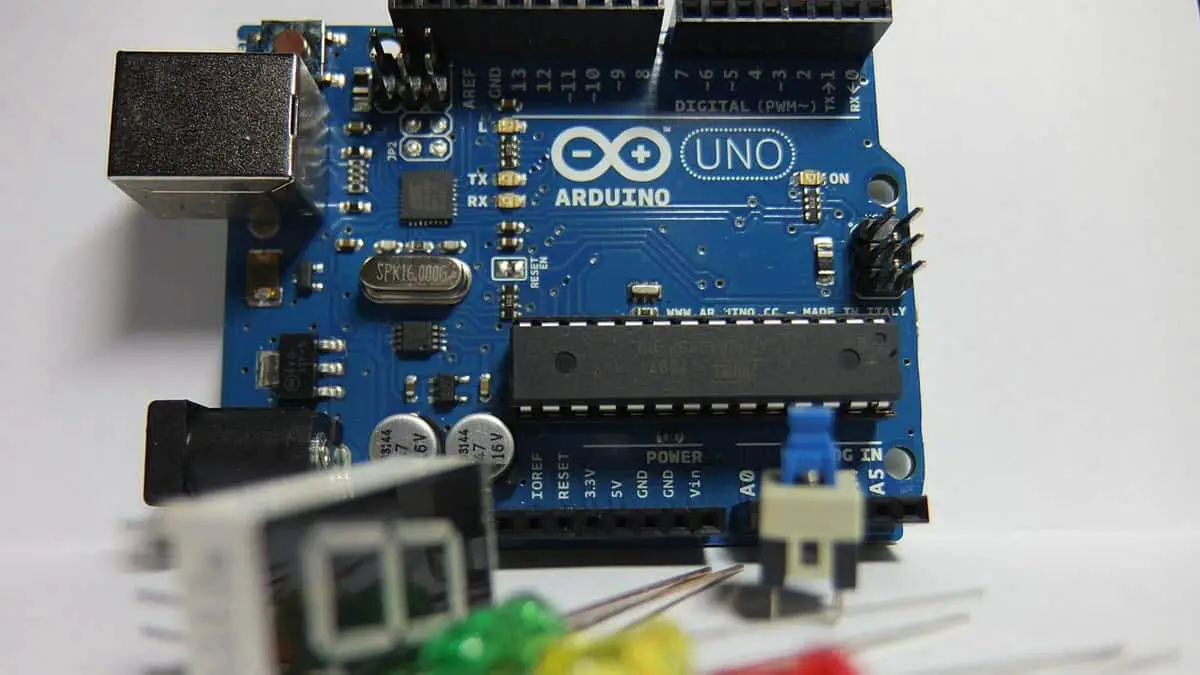
Compare controllers and computers. An Arduino-based kit typically runs code on a microcontroller, with a separate computer used to develop and upload it. Raspberry Pi kits add operating-system setup and software installation to the project. That extra work can be the attraction. Our Arduino versus Raspberry Pi guide explains the distinction in more detail.
Price the whole setup. A missing Pi board, microSD card, battery, suitable charger or compatible computer can change the cost considerably. Read the package list and power instructions for the selected version. Do not improvise a power supply or assume that a newer board works with an older robot’s controller hardware.
Read a tutorial before ordering. Look for a complete assembly sequence, software installation steps, calibration instructions and examples you can understand. A kit with fewer features and clear support can be more rewarding than an impressive specification with unclear setup. Manufacturer age labels describe the intended audience; your experience, patience and safety needs still matter.
Give the first build a small goal. Get one supplied example working, then change one behavior at a time. Check mechanical alignment and wiring before blaming the program. For the SunFounder kits, follow the current servo-adjustment and calibration steps; skip them and a software exercise can become a hardware problem.
If your interest is broader than robotics, compare our engineering kits for adults. For further DIY discussion, our build-your-own robot guide includes older platforms; check the exact kit and its present support before following a legacy setup.
Why some older robots are no longer in the shortlist
The old Smart Video Car has been replaced here by a separately named PiCar-X recommendation. Its earlier Python 2.7 setup instructions and hardware comments have not been transferred. Likewise, xArm 1S is not assumed to be the same arm as the previous LewanSoul listing.
Adeept’s DarkPaw page still describes a four-legged Raspberry Pi robot, but its heading and detailed compatibility list differ, and its learning area distinguishes hardware versions. That uncertainty matters when buying a board and installing software. Confirm the current kit version, supported Pi and matching instructions with Adeept before considering it. PiCrawler is a distinct alternative, not a relabeled DarkPaw.
ELEGOO Owl V2.0 and DJI RoboMaster S1 are also outside this shortlist because we have not established a current exact buying and support recommendation for them. That is not a claim that they are discontinued. Owners should use the maker’s documentation for their existing version rather than buying replacement parts on the strength of an old comparison.
How we chose these kits
We compared manufacturer product information, setup documentation and the product checks behind our recent engineering guide. The recommendations reflect the kind of work each kit offers and the extras it needs. This update adds no new hands-on testing. We have not carried old model-specific hardware criticisms over to different products, and no price or availability promise is implied.
Last update on 2026-11-02 / Affiliate links / Images from Amazon Product Advertising API